The logo variations most brands need
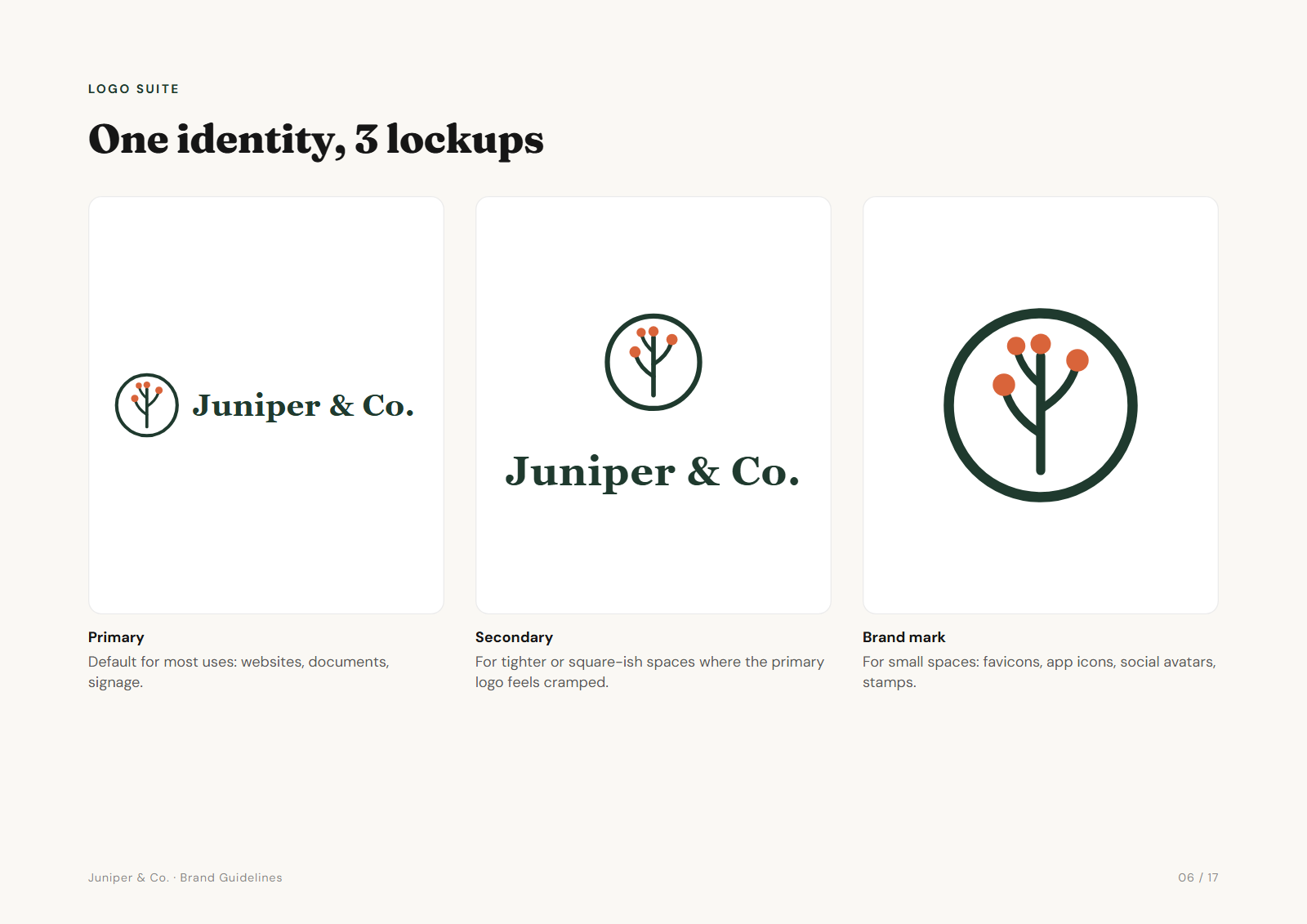
- Primary logo. The main lockup, usually horizontal: symbol and name side by side. The default for websites, documents and signage.
- Secondary (stacked) logo. Symbol above the name. Fits square or tall spaces where the horizontal version would be tiny.
- Brand mark or icon. The symbol alone. For favicons, app icons, social avatars, stamps and embroidery.
- Wordmark. The name alone, without the symbol. Useful when the symbol is already nearby, or for very wide, short spaces. Optional for many brands.
Three lockups cover most brands. Add more only when there is a real space they solve.
Colourways: full colour, one colour, black, white/reversed
Each lockup then needs a version for every kind of background and print method:
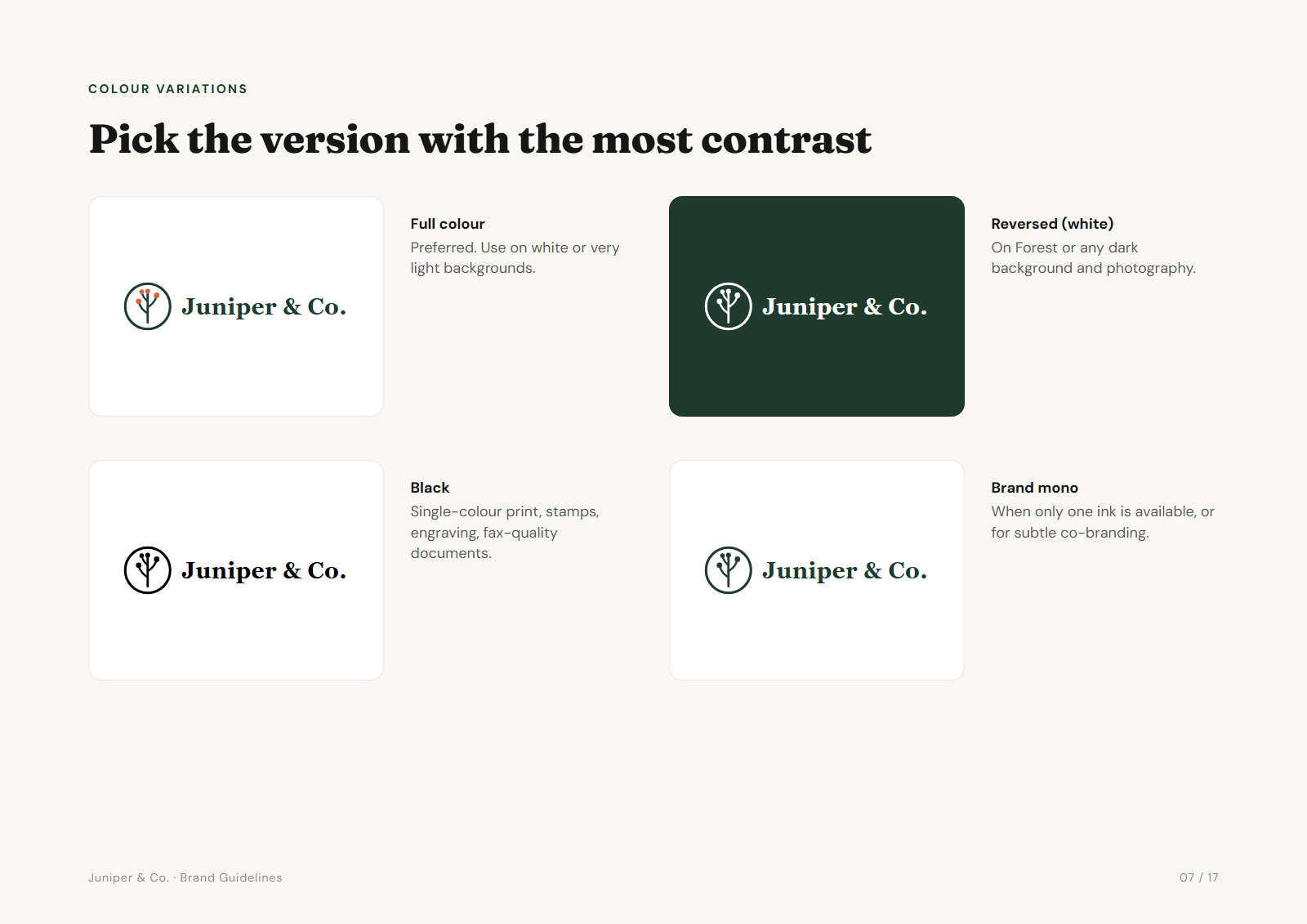
| Colourway | Use it for |
|---|---|
| Full colour | The preferred version, on white or very light backgrounds |
| Reversed (white) | Dark backgrounds, the brand colour, photography |
| Black | Single-colour print, stamps, engraving, fax-quality documents |
| One-colour brand | One-ink print jobs and subtle co-branding |
Watch the details in the reversed version. Shapes that were white in the full-colour logo, like the inside of a letter or a highlight, usually need to become see-through, not stay white. Otherwise they show up as white blobs on a dark background.
Which variation goes where
| Placement | Variation |
|---|---|
| Website header | Primary, full colour (reversed on a dark header) |
| Favicon and app icon | Brand mark, simplified if needed at 16 px |
| Social media profile picture | Brand mark, centred, inside the circular crop |
| Letterhead and invoices | Primary, full colour or black |
| Merch, embroidery, stamps | Brand mark or stacked, one colour |
| Photos and video | Reversed, or black on light images |
| Partner and sponsor logos | Primary, one-colour or black, to sit quietly beside others |
Minimum size and clear space
Every variation needs two rules:
- Clear space. An empty zone around the logo, defined relative to the logo itself (for example a quarter of its height) so it scales with the logo.
- Minimum size. The smallest width at which the logo stays readable, in pixels for screens and millimetres for print. Below it, switch to the brand mark.
Our brand guidelines guide shows how to present both on the page.
Naming and exporting each variation
Use one naming pattern for every file: brand-lockup-colourway.format, plus the pixel width for raster files.
acme-primary-colour.svg
acme-primary-white.svg
acme-secondary-black.pdf
acme-icon-mono-1000px.png
acme-icon-colour.jpg
Three lockups in four colourways, in SVG, PDF, three PNG sizes and JPG, is 72 logo files. Exporting and checking that by hand is where an afternoon goes. Our guide to logo files for clients covers formats and folder structure.
Frequently asked questions
How many logo variations do I need?
Most brands need three lockups (primary, secondary and brand mark), each in four colourways (full colour, black, white and one-colour). Add a wordmark only if the brand has a real use for it.
What is the difference between a stacked and a horizontal logo?
A horizontal logo puts the symbol beside the name and suits wide spaces like website headers. A stacked logo puts the symbol above the name and suits square or tall spaces like signs and social posts.
What is a reversed logo?
A version for dark backgrounds, usually all white. Shapes that were white in the original become transparent, so the background shows through instead of white blobs.
When should I use the icon on its own?
Whenever the full logo would be too small to read: favicons, app icons, social media profile pictures, stamps and embroidery.
Is there a logo variations generator?
Brandpack generates every colourway of each lockup you upload, in SVG, PDF, PNG and JPG. You design the lockups. It handles the colour versions, formats, naming and guidelines.