What a brand kit built from an existing logo includes
A brand kit is everything a client needs to use their identity consistently without asking the designer each time. Built from an existing logo, that means taking the approved artwork and producing every version and format around it:
- Logo variations: each lockup in full colour, black, white and one-colour.
- Print-ready vector PDFs, SVGs, transparent PNGs at three sizes and JPGs.
- A brand guidelines document covering logo use, clear space, misuse, colour and typography.
- Favicons, app icons and a web manifest.
- Social media images sized for each platform.
- An email signature, colour files and design tokens for developers.
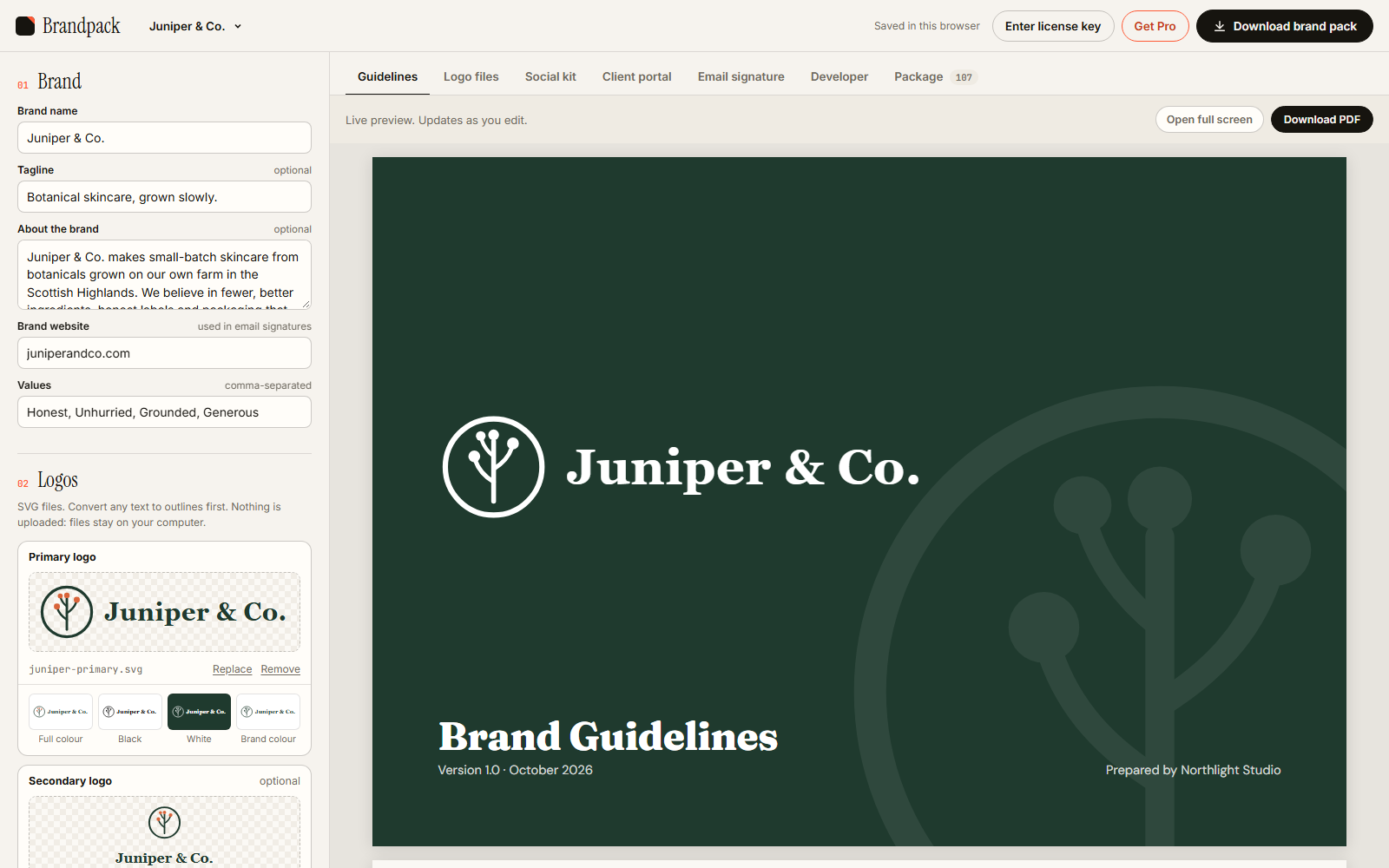
How it works: drop in SVGs, colours and fonts
- Add the logos. Drop in the primary logo as SVG, plus a secondary lockup and an icon if you have them. Brandpack checks the files and warns about common problems, such as text that hasn't been converted to outlines.
- Set the palette and fonts. Brandpack reads colours from the logo and you name and order them. Pick the heading and body typefaces.
- Review the live preview. The guidelines, logo variations, social images and portal update as you edit.
- Download the pack. One ZIP with every file named and foldered, ready to send to the client.
Expect about ten minutes for a brand you know well.
Everything you get
The sample pack for the demo brand Juniper & Co. contains 107 files:
| Folder | Contents |
|---|---|
| Logos | Primary, secondary and icon, each in colour, black, white and brand mono, as SVG, PDF, PNG (500, 1000, 2000 px) and JPG |
| Favicons & app icons | favicon.ico and .svg, Apple touch icon, Android and maskable icons, web manifest, and the HTML to paste into the site head |
| Social media | Profile picture, Open Graph image, LinkedIn, X, Facebook and YouTube banners, Instagram post and story |
| Colours | CSS, SCSS, Tailwind, JS and JSON, design tokens, Figma variables, Adobe swatches (ASE) and a GIMP/Inkscape palette |
| Guidelines | The brand guidelines document, up to 17 pages, ready to print to PDF |
| Email signature | An HTML signature with install instructions |
| Brand portal | An "open me first" page that previews every file and links to it, which works offline straight from the unzipped folder |
Private by design: no account, nothing uploaded
Brandpack runs entirely in your browser. Logos, colours and client details are processed on your own computer and never sent to a server. There is no sign-up and no cloud storage. Projects are saved in your browser, and you can export a project file to back them up or move them to another machine.
That makes it safe to use on work under NDA, before a brand is public. The one outside request is to Google Fonts, to show the typefaces you pick: it receives font names, never your files or text. Claiming your free brand also sends a short anonymous check to our server, to keep the offer fair; it never includes your files or text.
How it differs from AI brand kit and website tools
Search for "brand kit generator" and you will mostly find two kinds of tool:
- Name-to-brand generators. Type a business name and an AI suggests logos, colours and fonts. Useful for a placeholder, but not for delivering a designed identity.
- Website extractors. Paste a URL and the tool pulls colours, fonts and the logo from the site. Handy for an existing brand, but the output is limited to what is on the page.
Brandpack is for the step after the design work: you already have the approved logo and palette, and you need the production files and guidelines that go to the client. Nothing is invented. Everything comes from your artwork.
Pricing
- Your first brand is free and fully unlocked: the complete pack, every format, no watermark. Use it on your next real client.
- Free tier after that: logo SVGs, 1000 px PNGs, CSS colours and watermarked guidelines.
- Pro is $49, paid once. Unlimited brands and everything in the pack. No subscription.
Frequently asked questions
Can I make a brand kit from a logo I already have?
Yes. That is what Brandpack is for. Add the logo as SVG, set the colours and fonts, and it generates the variations, guidelines and every other file from your artwork.
Is it really free?
Your first brand is free and fully unlocked, with no watermark. After that there is a free tier with the basics, or Pro for $49 once, with unlimited brands.
Are my client's files uploaded?
No. Everything runs in your browser and nothing is sent to a server. There is no account.
Which design token formats are exported?
CSS custom properties, SCSS, a Tailwind colour config, JS and JSON, a design tokens JSON file, Figma variables, Adobe ASE swatches and a GPL palette for GIMP and Inkscape.
Can it generate brand guidelines too?
Yes. Every pack includes a brand guidelines document of up to 17 pages, covering the logo suite, colour variations, clear space and minimum size, misuse, palette, accessible colour pairs, typography, social and stationery. See the brand guidelines template guide for what goes in one.
What file does the logo need to be?
An SVG. Convert text to outlines first. Brandpack handles the usual export quirks from Illustrator, Figma and Inkscape, and warns you if text hasn't been outlined.