The short answer: the logo files a client needs
A complete logo package covers every lockup (the arrangements of the logo), every colourway, and the formats different people will ask for. For most brands, that means:
| What | Include |
|---|---|
| Lockups | Primary (usually horizontal), secondary (stacked or compact) and the icon or brand mark on its own |
| Colourways | Full colour, black, white (reversed) and one-colour in the brand colour |
| Vector formats | SVG for screens and developers, PDF for print. EPS only if the client's printer asks for it |
| Raster formats | Transparent PNG at a few sizes (for example 500, 1000 and 2000 px wide), plus a JPG on a solid background for people who paste logos into Word or PowerPoint |
| Extras | Favicons and app icons, the colour values (HEX, RGB, CMYK), font names, and a short guide on how to use it all |
Three lockups, four colourways and four formats quickly add up to dozens of files. That is normal. The goal is that nobody has to recolour, crop or convert your logo themselves.
Logo variations and colourways to include
Lockups
- Primary. The default. Websites, documents, signage.
- Secondary. A stacked or compact version for square-ish spaces where the primary feels cramped.
- Icon or brand mark. The symbol alone, for favicons, app icons, social avatars and stamps.
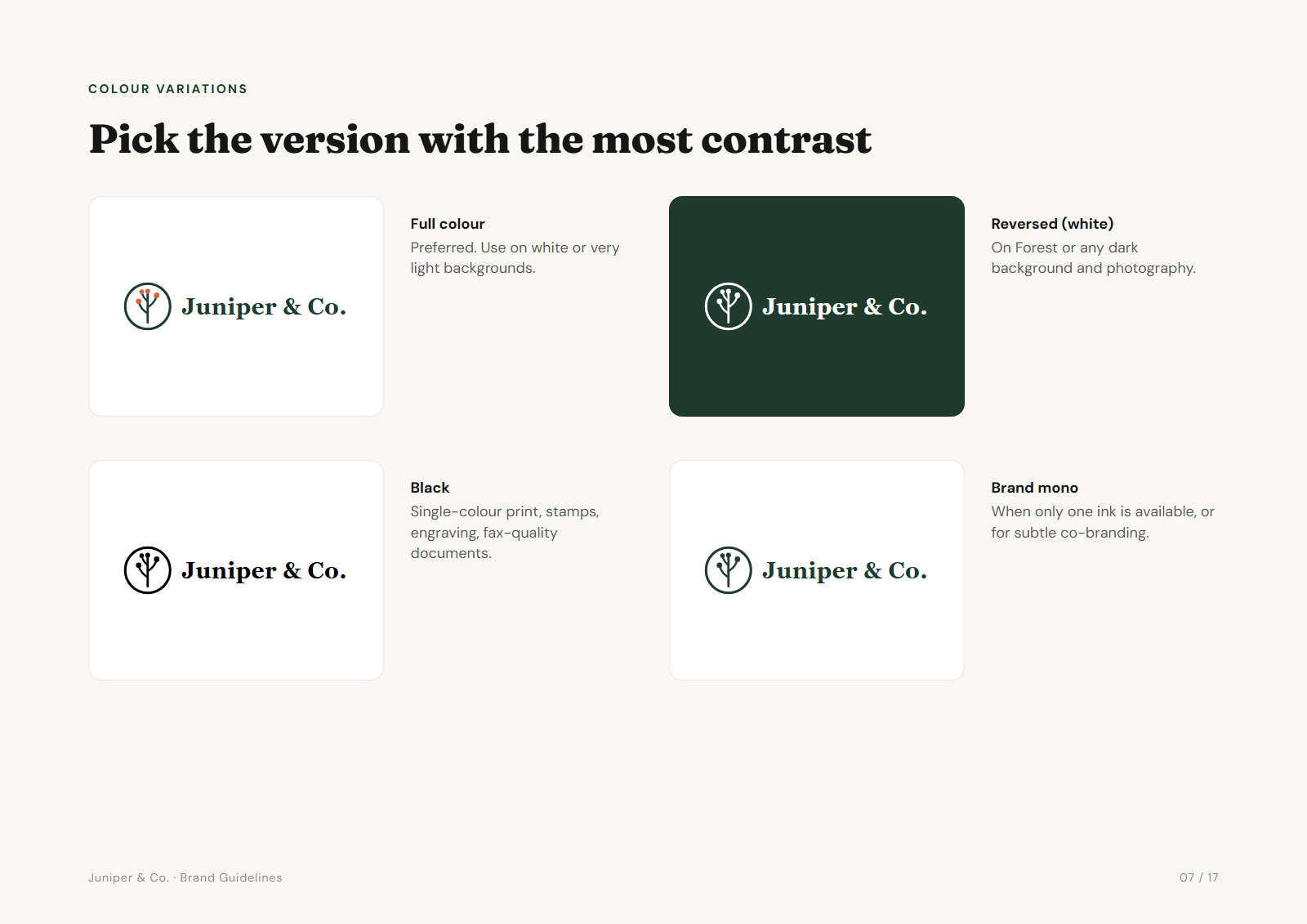
Colourways
- Full colour. The preferred version, on white or very light backgrounds.
- Reversed (white). For dark backgrounds and photography. Check any cut-outs: shapes that were white in the original must become transparent, not stay white.
- Black. Single-colour print, stamps, engraving, newspaper ads.
- One-colour brand. The whole logo in the main brand colour, for one-ink jobs and subtle co-branding.
Our guide to logo variations goes deeper on lockups, minimum sizes and clear space.
Which format for which job (SVG, PNG, PDF, EPS)
| Format | Best for | Who asks for it |
|---|---|---|
SVG | Websites, apps, anything on screen. Scales to any size, tiny file. | Web developers, designers |
PDF | Print. A vector PDF opens in Illustrator and most print workflows. | Printers, sign makers |
EPS | Older print and sign-cutting software. | Some printers and vinyl cutters |
PNG | Transparent images where vectors aren't accepted: slides, social tools, marketplaces. | Marketing teams, everyone |
JPG | Logos on a solid background, for Word, email and tools that don't handle transparency. | Non-designers |
Is EPS still needed? Opinions differ. Many designers now treat a vector PDF as the modern replacement, and most printers accept it. Some sign shops and older cutting software still ask for EPS. A practical approach: send SVG and PDF by default, and export EPS from your design app when a printer specifically asks.
CMYK or RGB? Screen files (SVG, PNG, JPG) should be RGB. For print, give the printer the CMYK and Pantone values in the guidelines and let them match against a proof, since the right CMYK numbers depend on paper and press.
How to name and organise the delivery folder
Group files by lockup, then by format, and put the brand name, lockup and colourway in every file name. A client searching their downloads for "logo white" should find the right file.
Acme brand pack/
  Open me first - brand portal.html
  01 Logos/
    Primary/
      SVG/  acme-primary-colour.svg, acme-primary-white.svg ...
      PNG/  acme-primary-colour-1000px.png ...
      PDF/  acme-primary-colour.pdf ...
      JPG/  acme-primary-colour.jpg ...
    Secondary/ ...
    Icon/ ...
  02 Favicons & App Icons/
  03 Social Media/
  04 Colours/
  05 Guidelines/
A few rules that save support emails later:
- Use lowercase, hyphens and no spaces in file names. They survive email, Windows and every upload form.
- Name PNGs with their pixel width so people pick the right size.
- Add a "start here" file at the top: a README or a simple HTML page that previews every logo and says which to use where.
- Keep total path lengths short. Deeply nested folders with long names can fail to unzip on Windows.
Handoff checklist before you hit send
- Text converted to outlinesLive text renders in a fallback font on any machine without the typeface.
- No stray points, hidden layers or off-artboard objectsThey show up as phantom shapes in some apps and in cutting software.
- Artboards cropped to the artwork, with consistent paddingSo logos line up when someone places them side by side.
- Reversed versions have transparent cut-outsNot white shapes that show up on a coloured background.
- PNGs are transparent and named with their sizeCheck one on a dark background before sending.
- Every colourway exists for every lockupIncluding the icon in white, the one most often forgotten.
- Colour values written downHEX, RGB, CMYK and Pantone if you have them, in one place.
- Font names and where to get themName the fonts and link to where the client can license them. Don't send font files you aren't licensed to share.
- A preview or guide file at the top levelSo the client can find the right file without opening twenty.
- Tested as the clientDownload your own link, unzip it on a different machine, and open a few files.
Frequently asked questions
What logo files should I give a client?
Every lockup (primary, secondary, icon) in every colourway (full colour, black, white, one-colour), as SVG and PDF vectors plus transparent PNGs at a few sizes and a JPG. Add favicons, the colour values, the font names and a short usage guide.
Should I include the AI or source file?
That depends on your contract. Some designers hand over editable source files as standard. Others charge for them or keep them, because the source file carries the right to modify the work. Agree it up front and write it into your contract.
Is EPS still needed?
Less than it used to be. A vector PDF does the same job for most printers. Send SVG and PDF by default, and export EPS when a printer or sign maker specifically asks for it.
Should I send the font files?
Usually not. Most font licences don't allow you to pass the files on. Convert the logo text to outlines so it renders everywhere, then tell the client the font names and where to license them for their own documents.
Do I need to include a JPG?
It helps. Plenty of clients paste logos into Word, PowerPoint or email tools that handle transparency badly. A JPG on a white or brand-colour background avoids grey boxes and black backgrounds.
How should I send the files?
One ZIP with a clear folder structure and a "start here" file at the top, shared through a link that doesn't expire quickly. Test the download yourself before sending it.